
Khata overview
Track udhar, payments, balance, reminders, and statement sharing.
Last updated: 2026-08-31
Khata overview
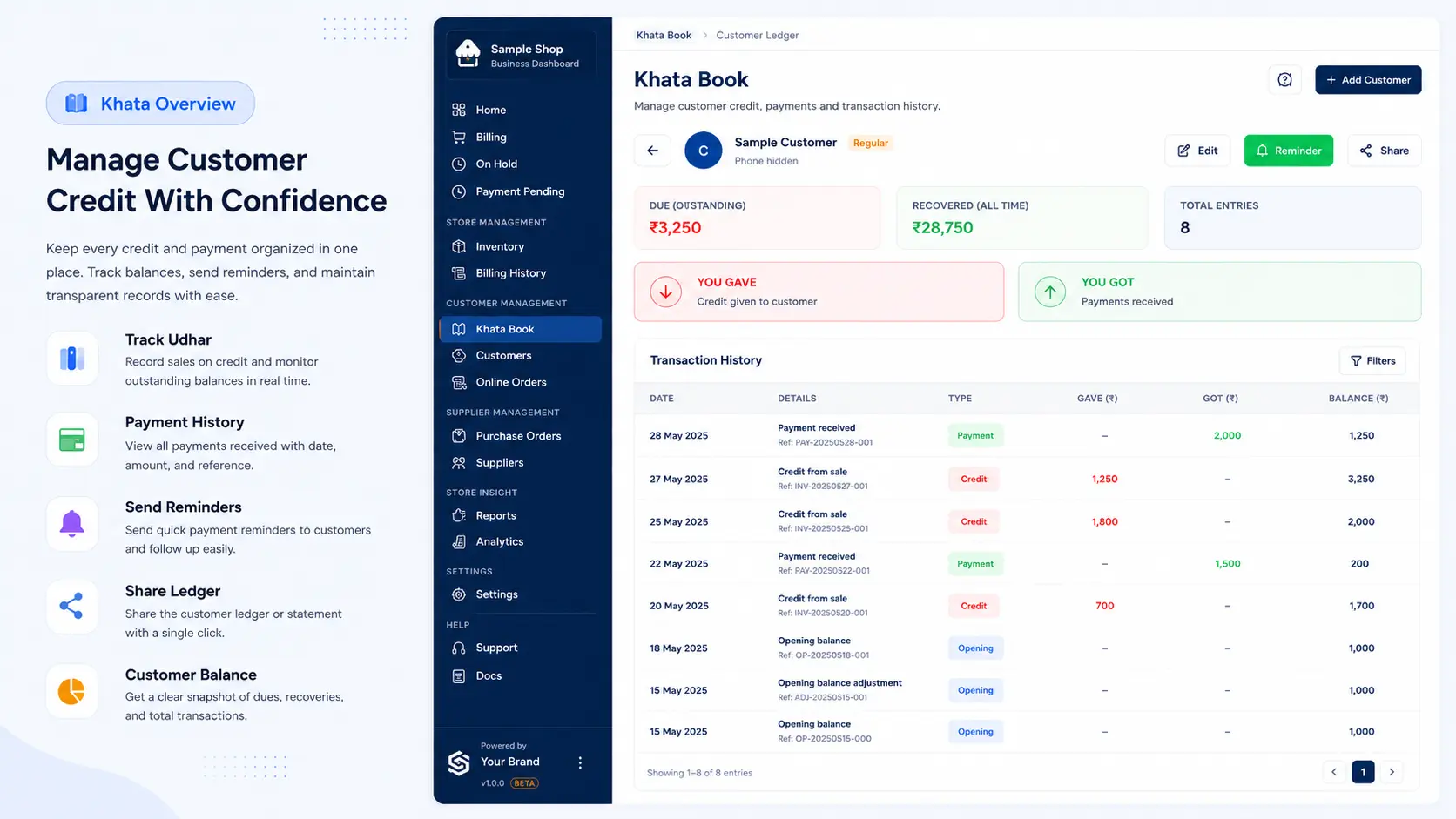
Khata Book tracks udhar, payments, balance, reminders, and statement sharing.
Before you start
- Add the customer name and phone number first.
- Check the current balance before recording a new entry.
- Use WhatsApp or PDF share after saving if the customer needs proof.
Steps
- Open Khata.
- Create khata for a customer.
- Tap Give Udhar when the customer takes credit.
- Tap Accept Payment when the customer pays.
- Review You Gave and You Got.
- Share PDF or WhatsApp summary if needed.
What happens next?
The customer balance updates for the selected shop.
Related help
Need more help?
Use the contact page or email info@localshopwala.com. If your shop is blocked, email support@localshopwala.com.
Related guides
Need more help?
Contact LocalShopWala Support. We are happy to help you run your shop.