
Reports overview
See sales, stock, purchases, customers, and profit for your shop.
Last updated: 2026-08-31
Reports overview
Open Reports to see how your shop is doing.
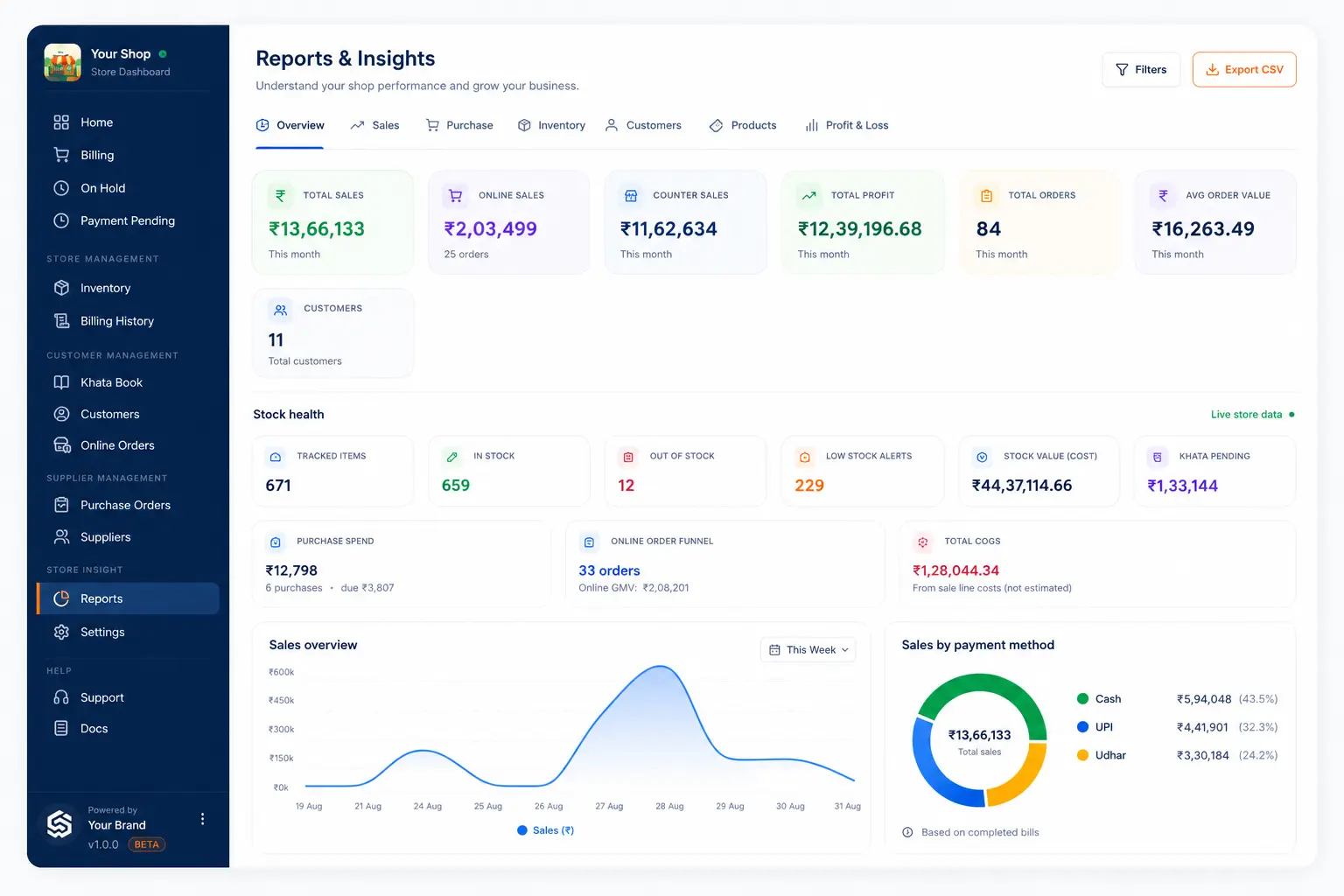
Report tabs
| Tab | What you see |
|---|---|
| Overview | Summary of sales, profit, orders, and key charts |
| Sales | Sales by date, channel, payment method, and more |
| Purchase | Purchase spend and due |
| Inventory | Stock value, low stock, and out of stock |
| Customers | Customer and khata related insights |
| Products | Product performance |
| Profit & Loss | Profit and loss statement |
Filters
You can filter by period such as:
- Today
- Yesterday
- Last 7 days
- This month
- All time
- Custom dates
Some views also filter by payment mode, customer type, or sale channel.
Open reports
- Open Reports.
- Choose a tab.
- Set the period filter.
- Read the numbers carefully.
- Export CSV when the option is shown.
Next
Related guides
Need more help?
Contact LocalShopWala Support. We are happy to help you run your shop.