
Settings overview
Update shop and account settings from the correct Settings tab.
Last updated: 2026-08-31
Settings overview
Update shop and account settings from the correct Settings tab.
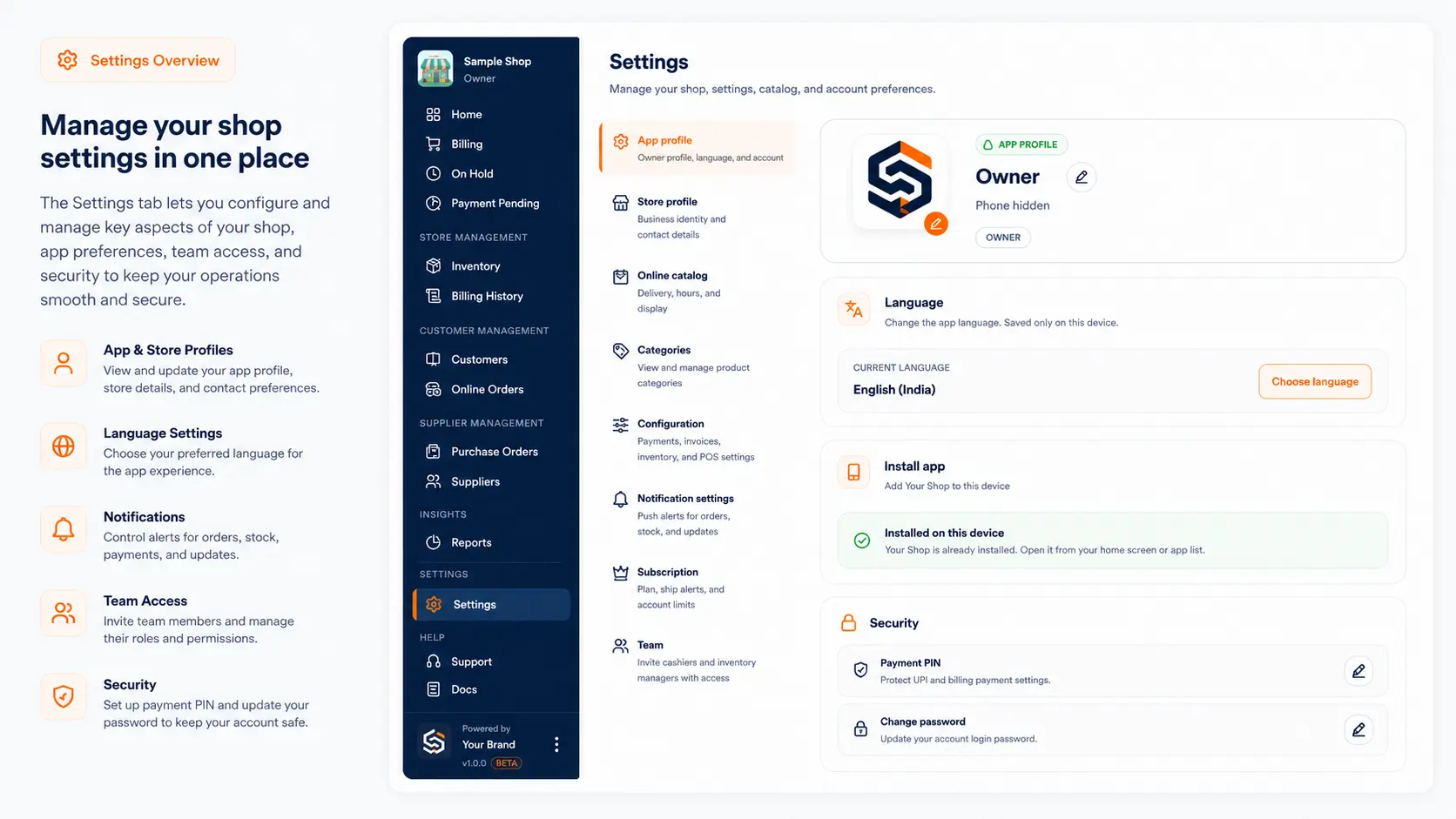
This guide is for shopkeepers using Settings in LocalShopWala.
Before you start
- Keep your phone or computer connected to the internet.
- Log in with your shopkeeper account.
- Use Switch shop first if you manage more than one shop.
Steps
- Open Settings.
- Use General for account and app profile.
- Use Store for shop profile.
- Use Catalog for online shop.
- Use Reviews for customer review settings.
- Use Configuration for UPI and payment PIN.
- Use Notifications, Subscription, and Team as needed.
What happens next?
The setting is saved for the selected shop unless it is an account-level setting.
Related help
Need more help?
Use the contact page or email info@localshopwala.com. If your shop is blocked, email support@localshopwala.com.
Need more help?
Contact LocalShopWala Support. We are happy to help you run your shop.